Blog
Self-Hosting AI Agents: The Complete Setup Guide
April 17, 2026
A practical guide to running your own AI agents on dedicated infrastructure. No API limits, no data sharing, full control.
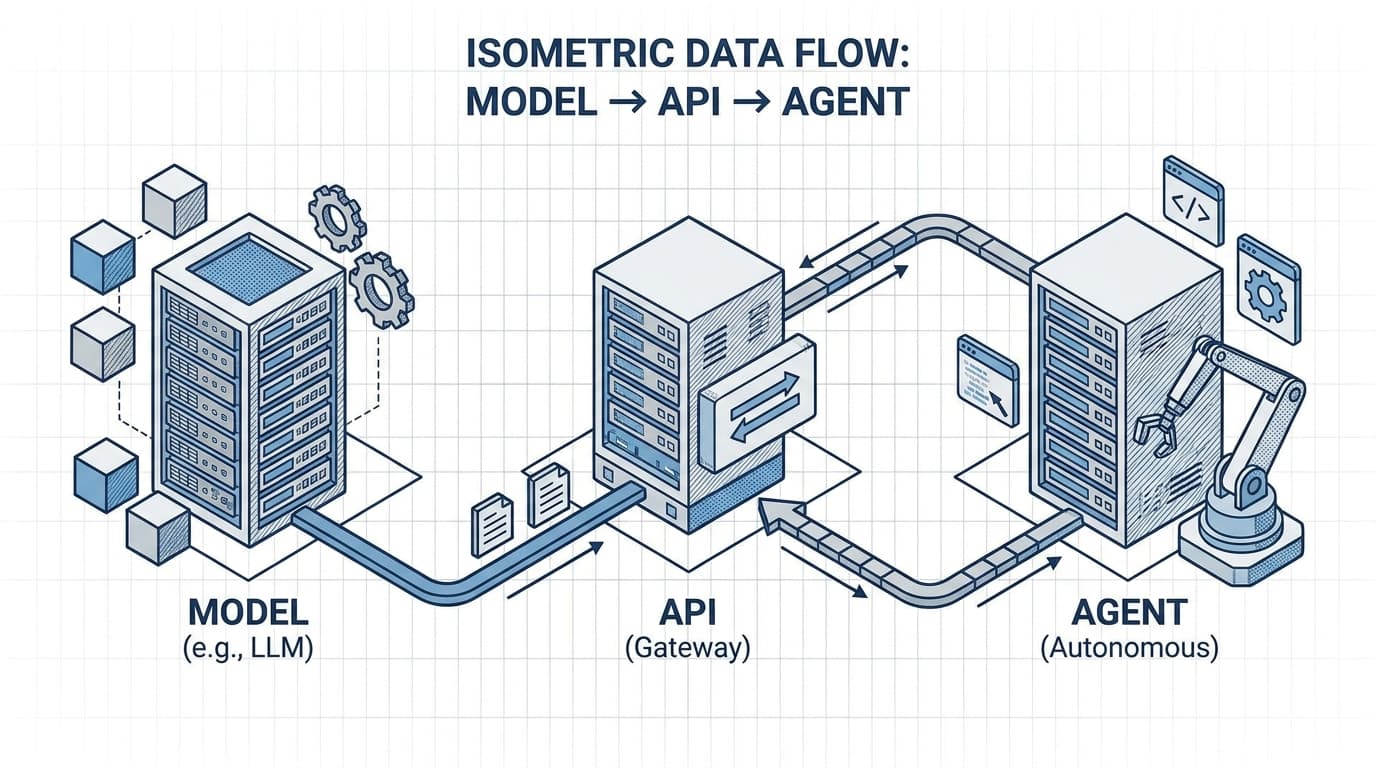
The cloud makes AI accessible, but there's a catch: every API call sends your data to someone else's servers, burns through your token budget, and puts you at the mercy of rate limits and uptime guarantees. What if you could run AI agents on your own hardware, with full control over your data, predictable costs, and no external dependencies?
This guide walks you through setting up self-hosted AI agents from scratch — using practical, accessible tools whether you're starting with a spare PC or a cloud VM.
1. Why Self-Host?
The problem with third-party APIs
Every time your agent calls OpenAI, Anthropic, or any other AI API, you're sending your data across the wire. For many applications — customer support bots, internal tools, domain-specific assistants — that's a dealbreaker. Your data is your intellectual property, your customer information, your business logic.
Beyond privacy, there's the cost and reliability equation. Per-token pricing adds up fast. Rate limits crack under load. And when the API goes down, your entire agent stack goes dark.
What self-hosting solves
- Privacy: Your data stays on your infrastructure. No third-party processing.
- Cost control: One-time hardware investment or fixed cloud compute, not metered tokens.
- Reliability: You control the uptime. No API outage takes down your agents.
- Customisation: Swap models, tweak parameters, embed domain knowledge without asking permission.
Who this is for
- Developers building AI-powered applications who want full stack control
- Businesses handling sensitive data (legal, medical, financial) where compliance matters
- Tinkerers and engineers who want to understand the full stack, not just the API call
If you're comfortable with a terminal and basic server administration, self-hosting is well within reach.
2. Hardware Requirements
The minimum viable setup
You don't need a data centre. A decent desktop with a modern GPU can run capable AI agents:
| Component | Minimum | Recommended |
|---|---|---|
| GPU | RTX 3060 (12GB VRAM) | RTX 4090 / RTX 3090 (24GB) |
| RAM | 32GB | 64GB+ |
| Storage | 512GB NVMe | 1TB+ NVMe SSD |
| CPU | 6-core modern | 8-core+ |
GPU options
- Consumer GPUs: The RTX 4090 and 3090 offer the best raw power per pound. The 4090 runs smaller models (up to ~70B quantised) comfortably. Used 3090s are a bargain on the second-hand market.
- Cloud GPUs: Lambda, RunPod, Paperspace, and Hetzner offer GPU instances starting around £0.30/hour. Good for testing and production if traffic is intermittent.
- Enterprise cards: A100s and H100s are overkill for most self-hosted setups unless you're running multiple concurrent agents at scale.
RAM and storage
32GB RAM handles 7B-13B models comfortably. Step up to 64GB if you're running larger models or multiple agents in parallel.
Storage matters because model files are large. A single 70B quantised model eats 40GB+. Fast NVMe storage prevents model loading from becoming a bottleneck.
The realistic path
Start with a cloud VM (see chapter 3 for providers). Migrate to local hardware once you've validated the workload. Most teams find they outgrow a single PC within a few months — but you don't need to buy hardware to learn.
3. The Stack
You need five building blocks: the model, the runtime, the API layer, the orchestration framework, and the interface.
Model runners
| Tool | Best for | GPU support |
|---|---|---|
| Ollama | Easiest all-in-one | Yes (CUDA) |
| LM Studio | Quick experimentation, GUI | Yes |
| llama.cpp | CPU inference, quantised models | Optional |
| vLLM | High-throughput production | Yes (best throughput) |
Our pick: Ollama for most users. It bundles the model, runtime, and OpenAI-compatible API in a single install. Pull, run, it's ready.
API layer
Ollama exposes an OpenAI-compatible API by default. This means:
- Your existing code written for OpenAI works with zero changes
- LangChain, AutoGen, and other frameworks connect directly
- You can switch between Ollama and OpenAI by changing one environment variable
If you need more control, vLLM offers better batching and throughput for high-load scenarios.
Orchestration
- LangChain: The most popular Python framework. Good docs, broad tool integrations.
- AutoGen (Microsoft): Multi-agent conversations, good for complex workflows.
- CrewAI: Agent-as-a-service architecture, opinionated structure.
- Custom scripts: For simple agents, a Python loop + API calls beats a framework.
UI
- Open WebUI: A clean web interface for chatting with Ollama models. Good for testing.
- Direct API calls: For production, skip the UI and call the API directly from your application.
The architecture
[User Input] → [Agent Logic (LangChain/AutoGen)] → [API Layer (Ollama)] → [Model (Mistral/ Llama3)]
                            ↓
                     [Tools (your code)]
The agent decides, calls the API, receives the response, executes tools, repeats. Your job is gluing the tools to the model.
4. Step-by-Step Setup
This section walks you through a working Ollama setup with a connected agent framework. From zero to a responding agent in about 30 minutes.
Step 1: Choose your model
Start small. The model size determines everything.
- 7B models (Mistral, Llama3 7B): Fast, consume ~8GB VRAM, run on consumer GPUs. Good enough for Q&A, basic agents.
- 13B models (Mistral 7B, Llama3 13B): Slower, ~16GB VRAM. Better reasoning, more coherent long-form output.
- 70B models: Only on 24GB+ VRAM. Serious work. Quantised variants (Q4_K_M) run on 4090s but lose performance.
Start with Mistral 7B via Ollama — capable, fast, and free.
Step 2: Install Ollama
macOS:
brew install ollama
Linux:
curl -fsSL https://ollama.com/install.sh | sh
Docker (recommended for isolation):
docker run -d -v ollama:/root/.ollama -p 11434:11434 --gpus all ollama/ollama:latest
Step 3: Pull the model
ollama pull mistral
Lists available models at ollama.com/library. Other good starters: llama3, phi3, codellama.
Step 4: Start the API server
Ollama runs the API automatically when running a model. For a dedicated API process:
ollama serve
The API listens on http://localhost:11434 by default.
Step 5: Connect your agent framework
Create a minimal LangChain agent:
from langchain_community.llms import OllamaLLM
from langchain_core.prompts import PromptTemplate
from langchain.agents import AgentExecutor, load_agent

llm = OllamaLLM(model="mistral", base_url="http://localhost:11434")

# Simple prompt for a Q&A agent
prompt = PromptTemplate.from_template(
    "You are a helpful assistant. Answer the user's question.\n\nQuestion: {question}"
)

# Simple chain — expand to AgentExecutor for tool use
chain = prompt | llm

response = chain.invoke({"question": "What's the capital of France?"})
print(response)
Step 6: Test
python test_agent.py
# → "The capital of France is Paris."
You've got a working self-hosted agent.
Common pitfalls
- GPU not detected: Ensure CUDA drivers are installed. Run
nvidia-smito verify. - Model not loading: VRAM too low. Try a smaller model or quantised variant.
- API not responding: Check Ollama is running. Port 11434 may be blocked by firewall.
- Slow responses: Models >13B on consumer GPUs are slow. Reduce batch size or use quantised weights.
5. Security & Maintenance
Network exposure
By default, Ollama binds to localhost. Do not change this to 0.0.0.0 unless you're behind a reverse proxy with authentication.
If you need external access:
- Put Nginx or Caddy in front with basic auth or API key
- Use a firewall rule to restrict IP ranges
- Never expose raw Ollama to the public internet
Updates
ollama pull mistral # Pulls the latest version
Model runners update regularly. Check monthly. Security patches for underlying libraries matter too — keep your OS updated.
Monitoring
Key metrics to track:
- GPU utilisation:
nvidia-smior cloud dashboard - API latency: Response times over 10s suggest VRAM pressure
- Error rates: 4xx/5xx responses in logs mean something's wrong
Prometheus + Grafana is overkill for a single agent, but worth adding as you scale.
Backup
Model files are large (10-50GB). Have a recovery plan:
- Store the original model pull command (Ollama re-downloads on demand)
- Back up fine-tuned weights separately
- Document your stack so you can rebuild from scratch if needed
Cost calculation
Local: Estimate £150-300/year in electricity for a 4090 running 24/7. Compare to cloud pricing.
Cloud: Typical GPU VM costs £150-300/month for a capable setup. Cheaper than buying hardware if you only need it intermittently.
Do the math based on your usage pattern.
6. Scaling Up
One agent → multiple agents
AutoGen and CrewAI handle multi-agent orchestration out of the box. Design each agent with a specific role:
- Research agent: searches and summarises
- Execution agent: calls APIs and performs actions
- Review agent: validates output
Agents communicate via the shared API, not direct calls.
Multiple models
Run different models for different tasks:
- Small fast model for classification, routing
- Medium model for reasoning
- Large model for complex generation
Ollama runs one model per process. Run multiple ollama serve instances on different ports or use vLLM with the --gpu-overlap flag.
Load balancing
When one GPU isn't enough:
- Horizontal scaling: Multiple VMs, each running Ollama, behind a load balancer
- vLLM: Better batching and throughput on a single GPU
- Kubernetes: Container orchestration if you're running at serious scale
When to stay local vs. go cloud
| Factor | Stay local | Go cloud |
|---|---|---|
| Cost | Low if running 24/7 | Low if intermittent |
| Control | Full | Limited |
| Latency | Best on local | Depends on region |
| Uptime | You manage it | Provider manages it |
| Scaling | Harder | Easy |
For most teams: local for development and small production loads, cloud for burst capacity and redundancy.
7. Next Steps
Self-hosting gives you control — but it's not for everyone. The upfront setup, maintenance, and hardware costs are real. If your priority is speed to market and you don't have sensitive data, third-party APIs remain a valid choice.
If you want control, privacy, and predictable costs, start small:
- One model (Ollama + Mistral)
- One agent (LangChain basic chain)
- Test with your actual use case
- Expand as you validate demand
The setup in this guide is your starting point. Adapt to your workload, your budget, and your comfort level. The tools have matured significantly in the last year — what's possible on a single desktop would have required a server room three years ago.
Ready to go bigger? Our next guide covers running multiple specialist agents on production infrastructure, with monitoring, load balancing, and Kubernetes deployment.
This is guide #1 in the Agentic Hosting technical series. Follow along for deeper dives into infrastructure, orchestrations, and production patterns.